標本ラベルからのデータ抽出ツールHerbarium Specimen Label Extractor
標本ラベル画像から構造化データを自動抽出Automated Structured Data Extraction from Label Images
標本ラベル画像から、学名・採集地・基物・採集者・日付などの情報を自動抽出し、表形式で出力します(地衣類標本やコケ植物などの関連標本ラベル向き)。1枚の画像に複数のラベルが含まれる場合にも対応。Excelやデータベースソフトへの転記を大幅に効率化できます。
Upload a herbarium specimen label image to automatically extract fields such as scientific name, locality, substrate, collector, and collection date. Optimized for labels of lichens, bryophytes, mushrooms, and related organisms. Multiple labels per image are supported. Results are presented as a table for easy transfer to Excel or database software.
- 1画像に複数ラベルが含まれる場合も対応
- 手書き・印刷ラベル両対応(人による判別の最終確認は必要です。特に手書き文字の判別は困難なことがあります)
- ChatGPT上で動作、インストール不要
- Multiple labels per image supported
- Works with handwritten and printed labels. Human verification is required, especially for handwritten labels.
- Runs on ChatGPT. No installation required.
リリース情報Release Information
公開日:2026年5月3日Released: 2026-05-03
バージョン:1.0Version: 1.0
入力画像と出力例Input Image and Output Example
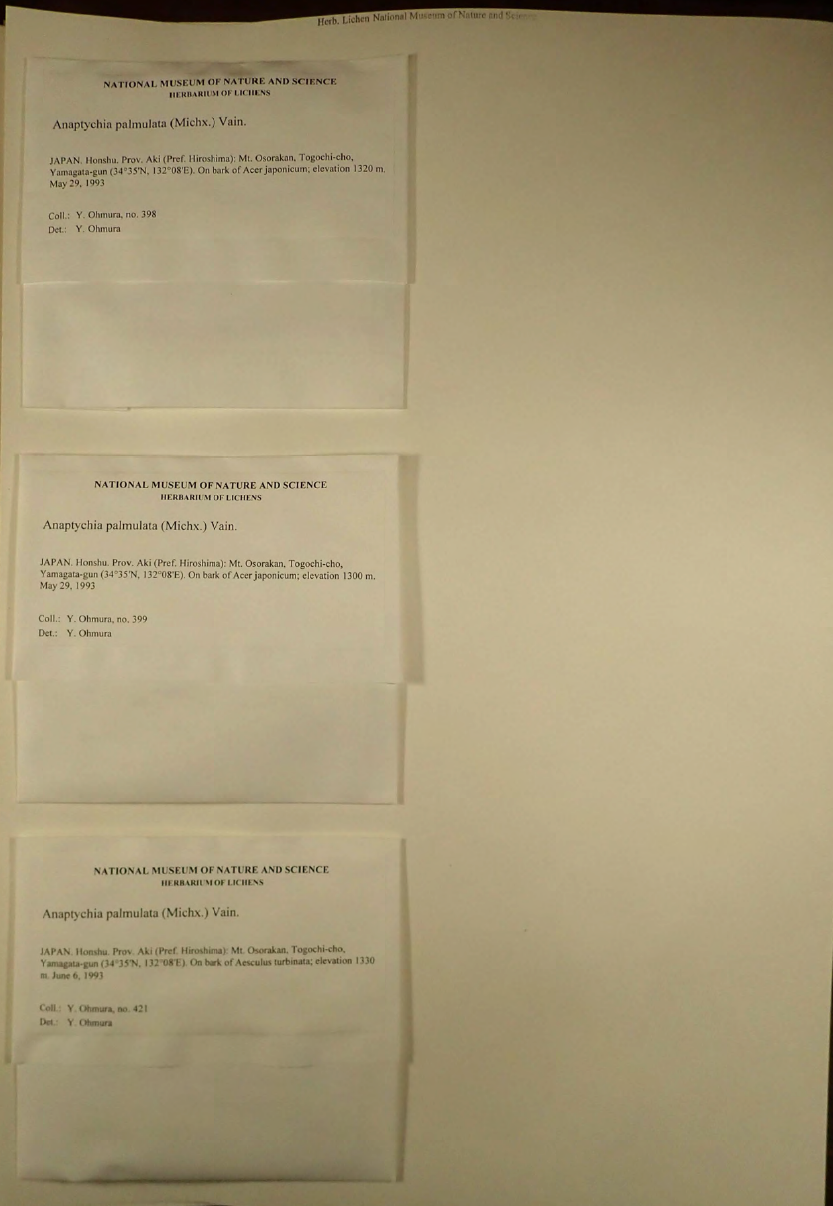
入力画像例(クリックで拡大)Sample input image (click to enlarge)

出力例(実際の抽出結果より。判別が曖昧なセルには[?]がつけられます。クリックで拡大)Example output from actual extraction result (cells with uncertain entries are marked with “[?]”. Click to enlarge)
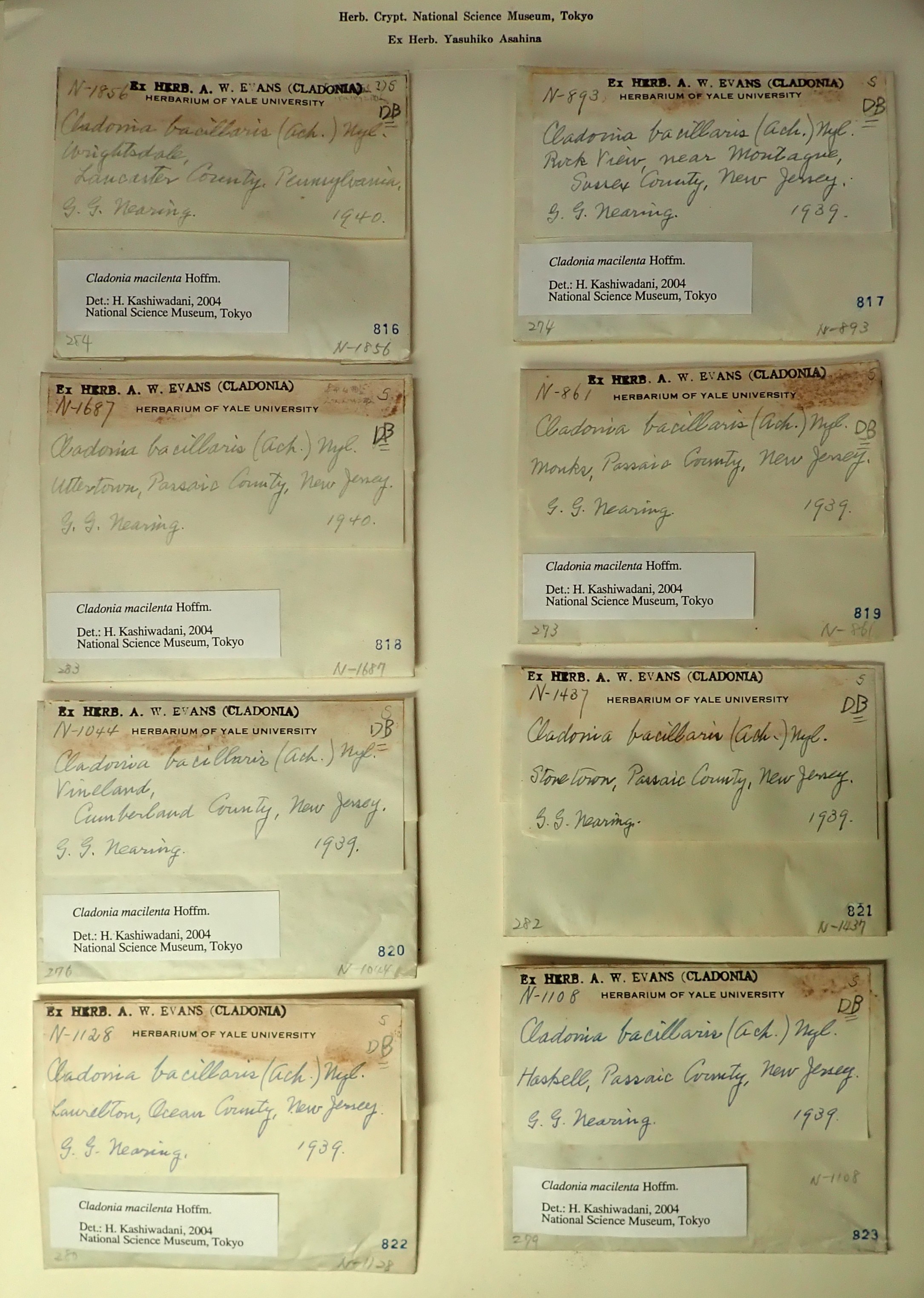
入力画像例(クリックで拡大)Sample input image (click to enlarge)
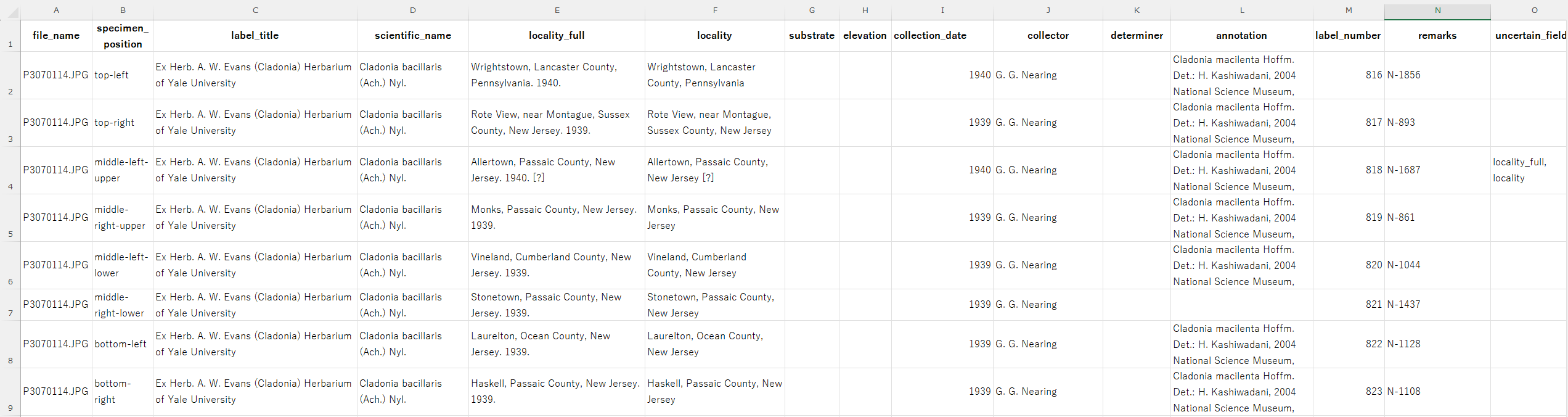
出力例(実際の抽出結果より。判別が曖昧なセルには[?]がつけられます。クリックで拡大)Example output from actual extraction result (cells with uncertain entries are marked with “[?]”. Click to enlarge)